
Your agent workflow doesn't scale (here's the fix)
How to build your agent control plane

Hey,
I’ve been using a project board to manage my AI agents and it’s working really well. Instead of prompting back and forth in the terminal, I put tasks on a Linear board. The agents pick up tickets, follow a workflow I’ve defined, and open PRs. I just review the PRs.
Here’s the setup.
The Setup
Two things make this work: an MCP connection to your task board, and a CLAUDE.md file that defines how the agent should work.
Connect Claude Code to Linear
One command:
claude mcp add --transport http linear-server https://mcp.linear.app/mcpOpen a Claude Code session and authenticate through Linear’s OAuth flow. Claude can now read tickets, create tickets, update status, and close issues.
While I’m using Linear, you could follow this flow in any task management system.
I break all this setup down in a video here.
Encode the Workflow in CLAUDE.md
Your project’s CLAUDE.md file tells the agent how to behave. Here’s a stripped-down version of what I actually use:
## Linear Integration

- Fetch issues using the Linear MCP tool.
- Always read the parent issue (if one exists) for full context.
- If a description references a spec file, read it before implementing.
- Set issue status to **In Progress** when starting,
  **In Review** after PR creation.

## Branching

Branch format: `<prefix>/<issue-id-lowercase>-<slug>`
- `feature/` for features
- `fix/` for bugs
- `cleanup/` for tech debt

Example: `feature/gra-12-add-supabase-sync`

## Commits

- Format: `<summary> (<ISSUE-ID>)` e.g. `Add Supabase sync (GRA-12)`
- Never commit code that doesn't build. Run `bun run build` first.

## Pull Requests

Create with `gh pr create`. PR body must include:
- Summary of changes
- Verification: `bun run build` result, files changed
- Link to the Linear issue

## Self-Review (required before pushing)

After implementation, launch a sub-agent to review the diff:
- Check for bugs, dead code, security issues, over-engineering
That’s the whole system. The agent reads this file, follows the workflow, and produces PRs that are structured, verified, and linked to tickets. You write it once and every task follows the same process.
The agent fetches the ticket, reads context, checks out a branch, implements, runs the build, reviews its own code with a sub-agent, then opens a PR. All defined in a file that lives in your repo.
Write Good Tickets
The workflow only works if your tickets are clear. Here’s what a good one looks like:
Add authentication to the dashboard
Users should be able to log in with email/password. The login form should validate input, create a session, and redirect to the dashboard on success.
Files to update: auth.ts
Acceptance criteria:
Login form renders at /login
Invalid email/password shows an error message
Successful login creates a session and redirects to /dashboard
Unauthenticated users are redirected to /login
Reference: See specs/auth.md for expected behaviour
More detailed than most developer tickets in the real world. That’s the point. Clear tickets are what let you step back. Vague tickets pull you back into the terminal.
Start Assigning
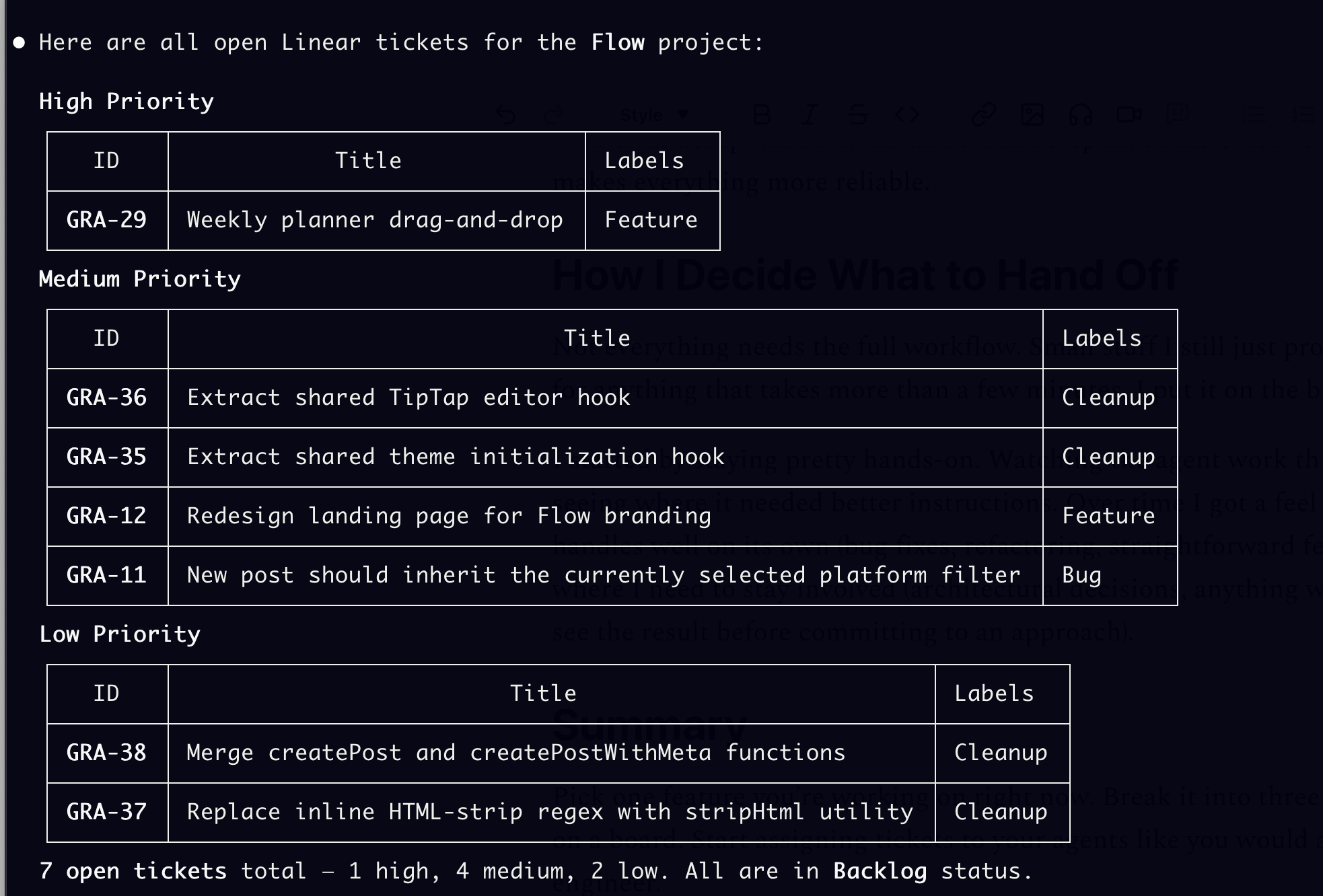
Fetch the open tickets on my Linear board and show me what's in the backlog.Pick a ticket. Tell Claude to work on it. Watch it follow the workflow.
Before this, I was writing Markdown specs and handing them to agents. It worked for a while. But once I had more than a few tasks going, I couldn’t keep track of what was done, what was stuck, or what depended on what. Markdown files don’t have status. A board does.
It’s the same thing that happens when you grow as an engineer. Early on you just write code and push it. Then you add tests, CI, code review. Not because you want more process, but because you’ve been burned enough times to know that a bit of structure saves you from a lot of pain.
Same thing with agents. Prompting in the terminal works fine for small stuff. But once you’re juggling multiple tasks or building something real, having tickets with clear acceptance criteria and a build step that runs before every PR just makes everything more reliable.
How I Decide What to Hand Off
Not everything needs the full workflow. Small stuff I still just prompt directly. But for anything that takes more than a few minutes, I put it on the board.
I started by staying pretty hands-on. Watching the agent work through tickets, seeing where it needed better instructions. Over time I got a feel for what it handles well on its own (bug fixes, refactoring, straightforward features) and where I need to stay involved (architectural decisions, anything where I need to see the result before committing to an approach).
Summary
Pick one feature you’re working on right now. Break it into three or four tickets on a board. Start assigning tickets to your agents like you would assign to an engineer.
Watch it pick up the ticket, implement the work, and open a PR.
Then see what else you can hand off.
Thanks for reading. I walked through the full setup in a video here.