
How to build AI RAG agents with the new gemini file tool.
Google just made RAG stupidly simple.

Hey there 👋,
Infrastructure complexity sucks.
As someone who’s spent years building public cloud services, I still find it frustrating how much time we waste on undifferentiated infrastructure setup.
You’ve probably been here before:
You want to build a simple RAG agent over your company docs. Suddenly you’re drowning in vector database setup (which one should I use?), writing complex embedding pipelines, spending weeks on undifferentiated infrastructure and wondering: why is this so hard?
For production systems with complex needs, this overhead makes sense. But for freelance projects, prototypes, and MVPs? It’s often a huge time sink.
Google recently shipped a feature that eliminates most of the headaches around basic RAG: the File Search Tool in the Gemini API.
I just built a customer support agent using it. The whole thing was a few lines of Python. No vector database. No embedding pipeline. No chunking logic.
Let me show you exactly how it works.
What Is Gemini File Search Tool?
Gemini File Search Tool handles the entire RAG pipeline through a simple API:
Create a store → Upload documents → Start querying. That’s it.
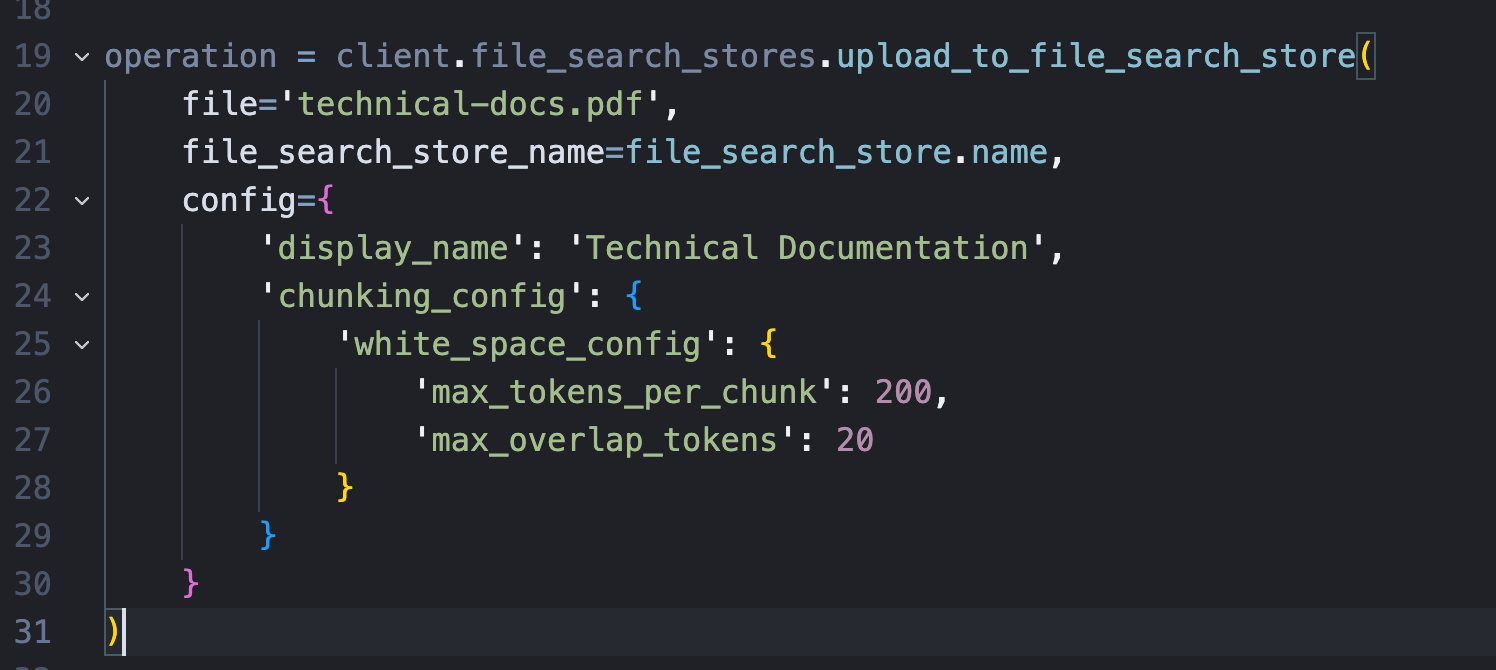
Behind the scenes, Google handles document parsing, automatic chunking with configurable overlap, semantic search using gemini-embedding-001, and citation extraction with grounding metadata.
Everything that used to take weeks of infrastructure work now takes one API call.
Building a Customer Support Agent (Step by Step)
Let me walk you through building a real FAQ agent using actual code from the Google documentation. This kind of setup has a lot of value to businesses (for example allowing employees to get instant answers to their questions rather than waiting for a human to respond).
Step 1: Create A File Store
The actual API is remarkably simple
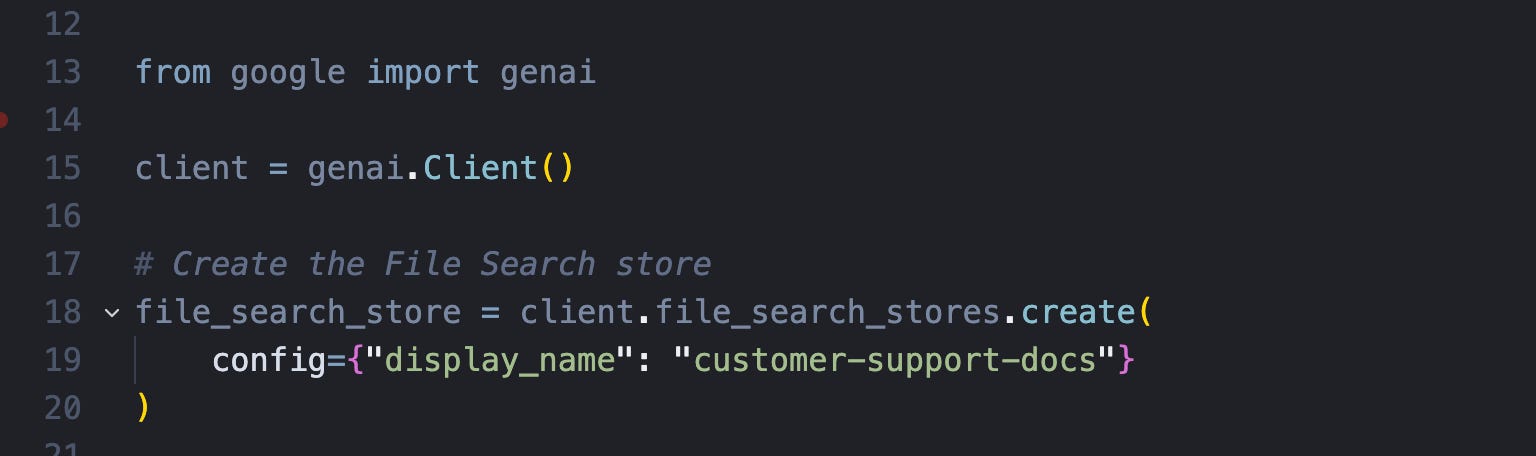
Step 2: Upload Your Docs
We list all files in our docs directory and upload them to the file store. That’s it. Your documents are now chunked, embedded, indexed, and ready to query.
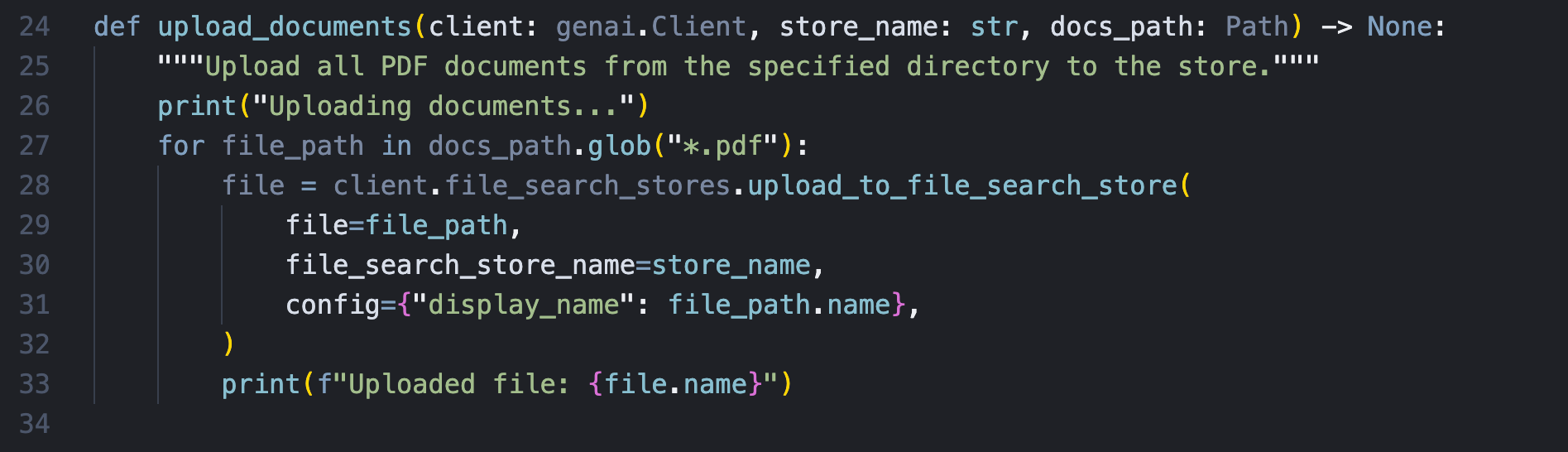
Optionally, you can control the chunking if you need to.
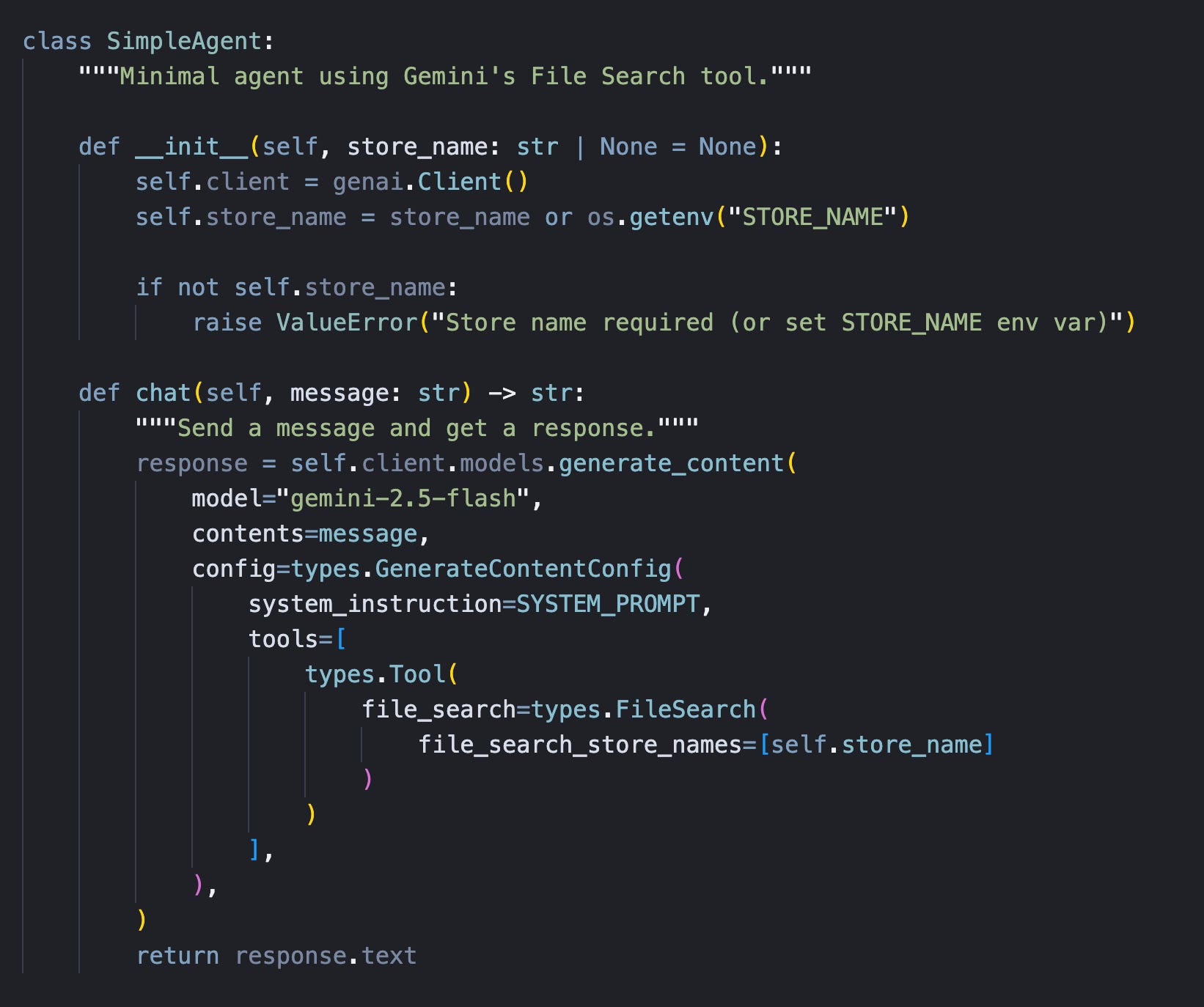
Step 3: Create Your Agent
You can simply use the file store as a tool when working with Gemini. This makes it incredibly easy. If you’re using another model or framework, you could wrap the API and provide it as a regular tool. Here’s the most minimal example of a RAG agent I could come up with.
This is basically all you need to build RAG agent in Gemini.
Final Thoughts
Google priced this aggressively. You only pay for one off costs when uploading your docs.
File Search removes the infrastructure tax from basic RAG. It lets you validate your idea in hours instead of weeks.
If you want the complete code you get get it all here for free.
Thanks for reading.
Have an awesome week : )
P.S. If you’re tired of learning this stuff alone, I run a community where ambitious software engineers master production AI by building real working projects together. The fastest path to master AI engineering: https://skool.com/aiengineer