
Build production AI agents with LiteLLM (in 70 lines of code)
One interface for every AI provider. Switch between OpenAI, Anthropic, Google in seconds. No refactoring.

One of the biggest pain points for developers working with Generative AI is the explosion of incompatible provider SDKs.
Every major AI provider has a completely different API. Different request formats. Different response parsing. Different tool schemas. Different authentication.
Want to switch from OpenAI to Anthropic? That’s not a config change. That’s days of refactoring. Every request builder, response parser, error handler, and tool definition has to change.
Want a fallback when OpenAI goes down? You’re maintaining parallel implementations. Want to test if Claude is cheaper? You’re duplicating your entire LLM layer.
If you hardcode to one provider, you’re locked in. When new models come out you have to refactor all your code.
Frameworks
The natural response is reaching for a framework. LangChain, PydanticAI - they promise to abstract away provider differences.
And they do. But they replace provider lock-in with framework lock-in.
Now you’re learning abstractions. What’s a Chain? What’s a Runnable? When do you use LLMChain vs ConversationChain? The learning curve is steep.
Need custom logic? You’re fighting opinionated patterns. Bug in production? You’re debugging through abstraction layers trying to figure out what is actually sent to the models. New version ships? Breaking changes force refactoring.
Here’s the thing: agent logic is straightforward. Deciding what to do next, calling tools, managing state - that’s basic software engineering. You can write a capable agent loop in 70 lines of code.
What You’re About to Learn
This tutorial shows you how to build production-ready AI agents in simple Python with no complex agent frameworks required.
We’ll use LiteLLM - a lightweight library that standardizes all LLM providers onto a single interface.
You’ll learn how to:
Write agents that work with any AI model (OpenAI, Anthropic, Google, local models) without needing frameworks.
Switch between providers with a single line change
Define tools once using a standard schema that works everywhere
The complete agent: ~70 lines of code. No abstractions. No magic. Just simple Python you control and understand.
What Is LiteLLM?
LiteLLM comes in two forms:
LiteLLM Python SDK - For developers building LLM applications who want to integrate directly into their Python code. It provides unified access to 100+ LLMs with built-in retry/fallback logic across multiple deployments.
LiteLLM Proxy Server - For teams that need a centralized LLM gateway. This is typically used by Gen AI Enablement and ML Platform teams who want to manage LLM access across multiple projects with unified cost tracking, logging, guardrails, and caching.
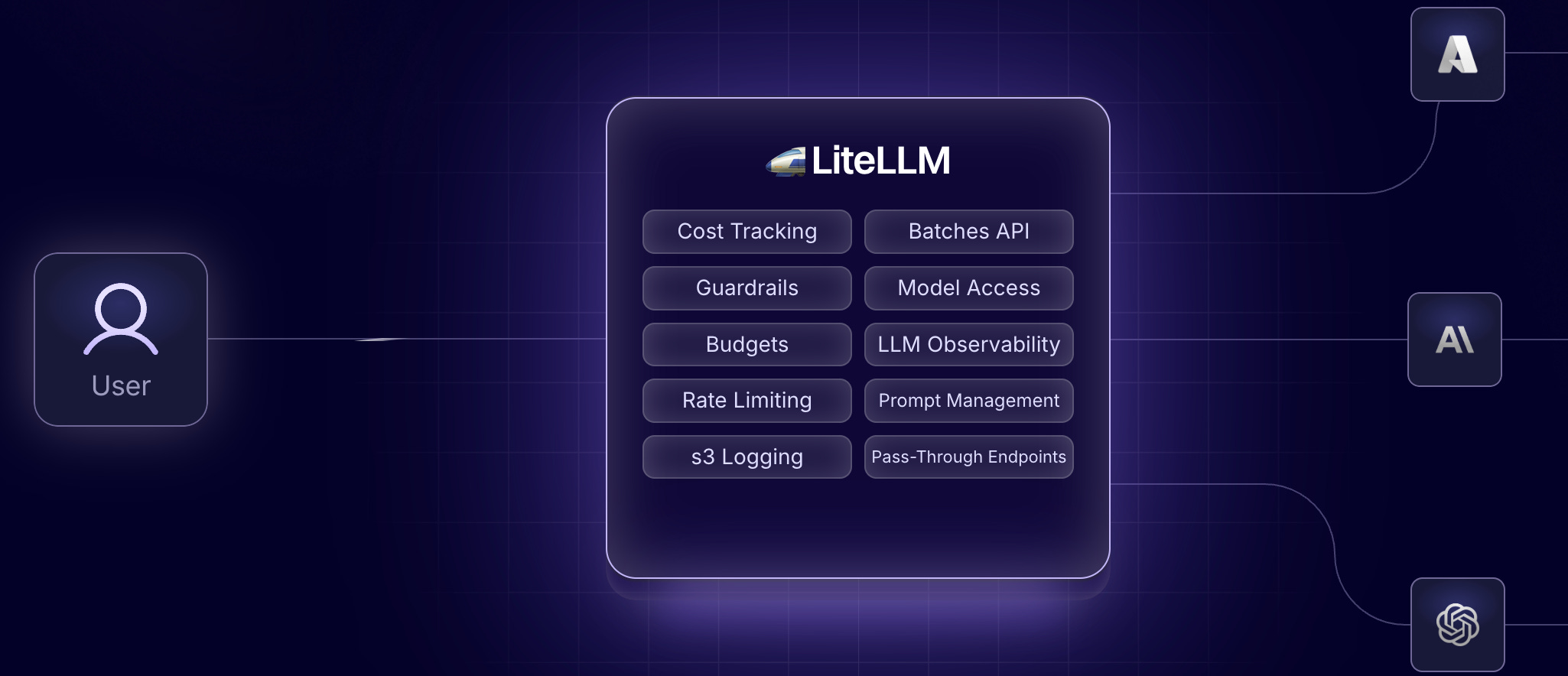
LiteLLM has built-in fallbacks and retries. If your primary model fails: maybe OpenAI is down, or you hit a rate limit, LiteLLM can automatically try a series of fallback models in sequence (super useful).
In this article, we’re using only the SDK since it’s very useful for building simple AI agents that can use different AI models through simple configuration.
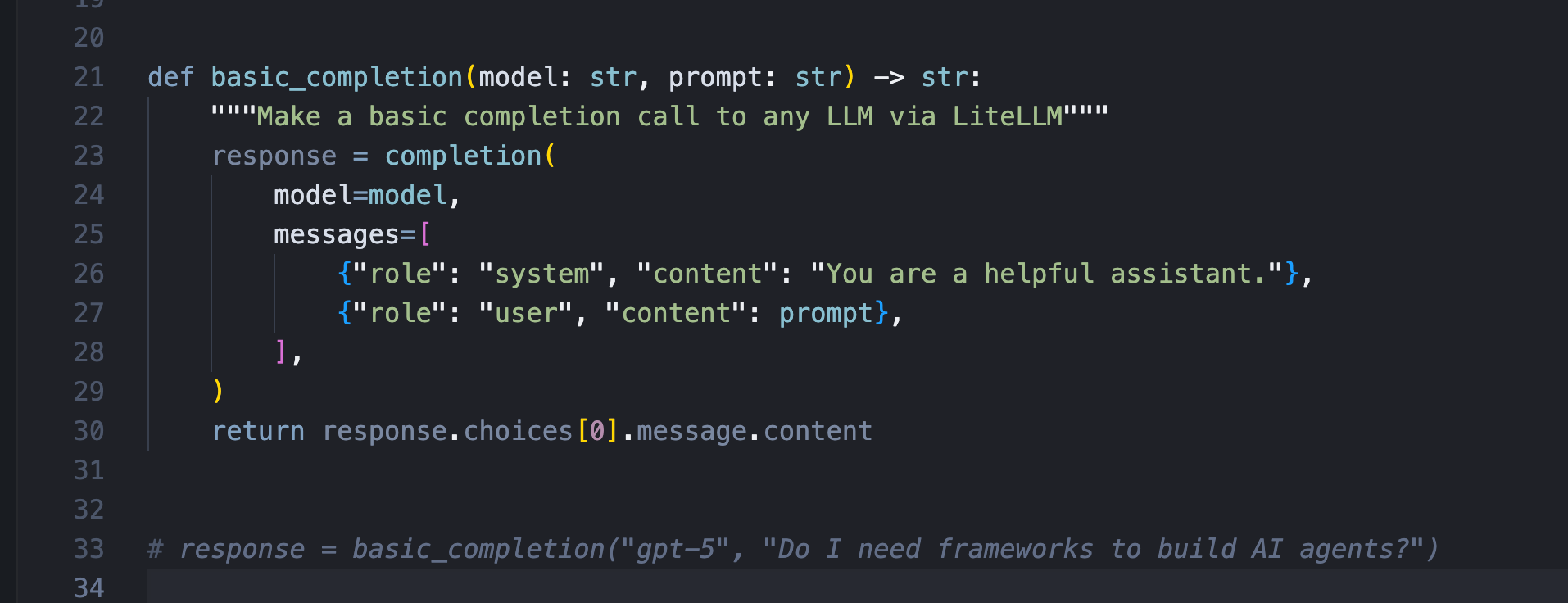
Switching providers with LiteLLM is a single-line config change. Your agent logic doesn’t change. Your tool definitions don’t change. Your error handling doesn’t change. Just the model string.
Building the Agent: Tool Definitions
Now let’s build the agent. In order for an AI agent to be useful, it needs a way to call tools to do work (these tools can be simply local deterministic code or remote API calls).
In LiteLLM, tools are defined using the OpenAI function calling schema. You specify a name, description, and parameters using JSON Schema. These tool definitions work with every LLM provider that supports function calling. OpenAI, Anthropic, Google - they all use the same definitions. No provider-specific schemas.
Here’s a tool definition for executing bash commands:
tools = [
    {
        “name”: “bash_command”,
        “description”: “Execute a bash command (e.g.‘ps aux’)”,
        “function”: bash_command,
        “requires_approval”: True,
        “parameters”: {
            “type”: “object”,
            “properties”: {
                “command”: {
                    “type”: “string”,
                    “description”: “The bash command to execute”,
                }
            },
            “required”: [”command”],
        },
    },
]
Implementing Tool Execution
Tool definitions tell the LLM what tools exist. Tool execution is the code that runs them.
For bash_command, we implement a function that takes the command, shows it to the user for approval, and executes it using Python’s subprocess module. When using potentially dangerous tools like this, it’s good practice to add an approval step (a simple user prompt to confirm if it’s OK to execute the command).
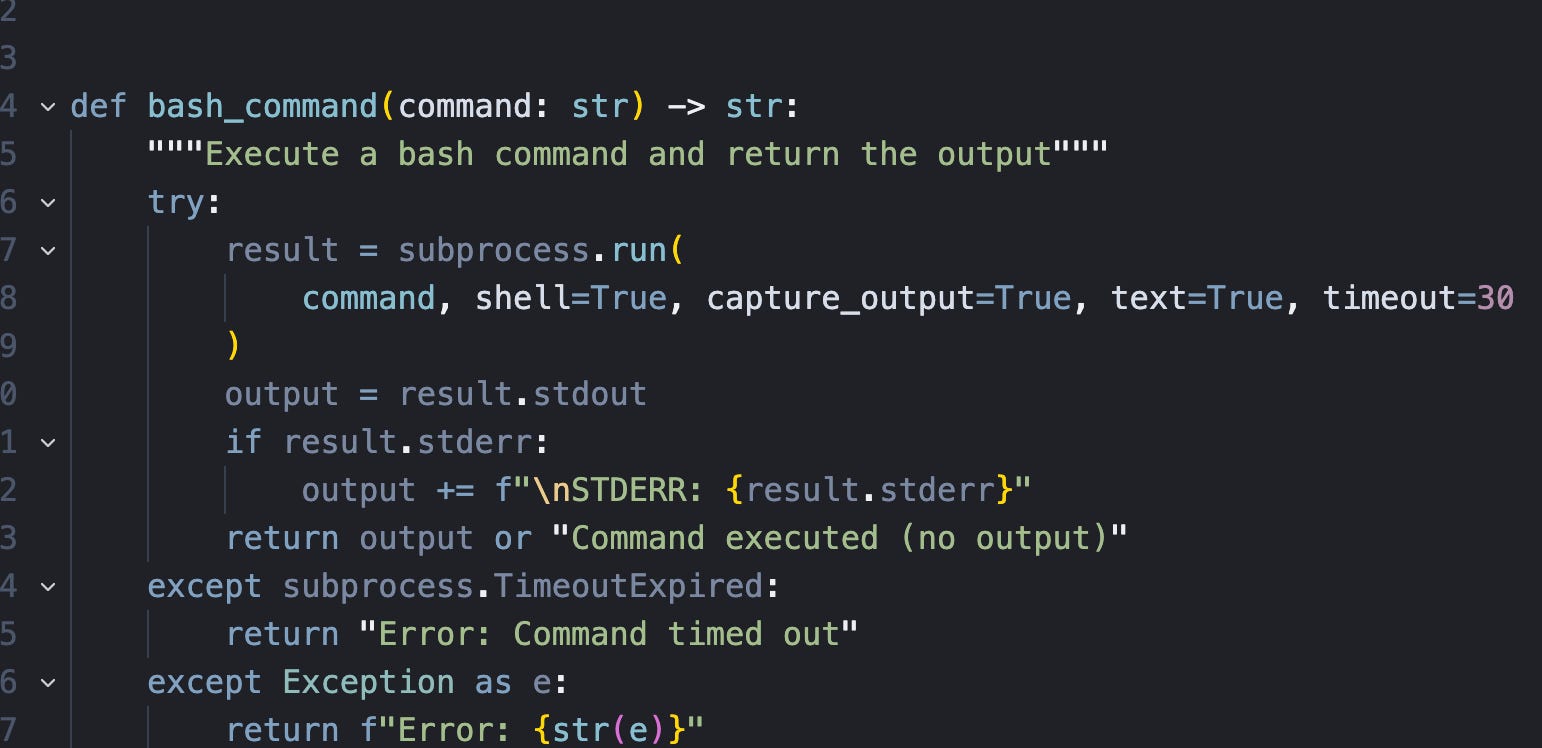
After executing the tool, the response gets sent back to the LLM as the tool result. The agent then uses the result to decide what to do next.
The Agent Loop
Here’s where it all comes together. The agent loop is the orchestration logic that makes this an agent instead of just an LLM call.
Moving forward, when I talk about agents I’m going to use this:
An LLM agent runs tools in a loop to achieve a goal.
https://simonwillison.net/2025/Sep/18/agents/
We start with the user’s query. Then we loop:
Call the LLM with messages and tools
If the LLM wants to call a tool, we execute it and add the result to the conversation
If the LLM doesn’t call any tools, we have the final answer
# AI agent loop: Call LLM → Execute tools → Repeat until done
for _ in range(self.max_iterations):

    # Ask LLM what to do passing in previous context
    response =
    completion(model=self.model, messages=self.messages, tools=tools)
    message = response.choices[0].message

    # No tools needed? Return final answer to user!
    if not message.tool_calls:
        return message.content

    # Execute each tool the LLM wants
    for tool_call in message.tool_calls:
        result = execute_tool(tool_call)
        self.messages.append(result)
The LLM sees tool results and decides what to do next. Maybe it calls another tool. Maybe it has enough information to answer.
Why This Approach Works
This core agent is about 70 lines of code. No framework. No abstractions. Just clear Python.
The agent logic is straightforward because we’re not fighting provider integrations. LiteLLM handles all the provider-specific complexity. We focus on the orchestration: deciding what to do, executing tools, managing state.
Production Considerations
This is a minimal example, but it’s production-ready in the sense that it’s simple, debuggable, and extensible.
Want to add more tools? Define them and add to the tools list.
Want custom approval logic? Add it to the tool execution functions.
Want logging or tracing? Simple to add or use a gateway.
Want to stream responses? LiteLLM supports that too.
Need LLM retries? Already supported by LiteLLM.
The code is yours. You understand it. You control it. No framework magic to debug or work around.
The Bottom Line
Building AI agents doesn’t require heavyweight frameworks. It requires standardized model access. LiteLLM gives you that standardization. One interface for 100+ providers. Standardized tool calling. Built-in fallbacks. Automatic cost tracking.
The result is agent code that’s simpler, more portable, and easier to maintain. You can switch providers in seconds. You can add complex logic without fighting abstractions. You can debug issues without diving through framework internals.
The complete code is on GitHub with examples.
Thanks for reading. If you find mistakes, disagree, have feedback, or want to chat about anything send me a DM.
Have an awesome week : )
P.S. If you’re serious about mastering AI engineering and want to build production systems like this, join the AI Engineer Community where we build projects from scratch and learn by doing. Inside: AI Agents from Scratch course ($499 value), hands-on projects, insider lessons from 20 years in tech, and direct access to a community of ambitious engineers. → https://skool.com/aiengineer